Cluster environment
Computing Resources
| Name | Hostname | Type | Administration | Access |
|---|---|---|---|---|
| Cluster CEMEF | front-in1-cluster.cemef.mines-paristech.fr | cluster | CEMEF | CEMEF |
| Mast-in | mast-in-cluster.cemef.mines-paristech.fr | cluster | CFL | CFL |
| Cortex | cortex.interne.mines-paristech.fr | node | CFL | MINDS |
Connection
Access to computing resources is done using the SSH protocol:
$ ssh username@hostname
Example:
$ ssh aurelien.larcher@mast-in-cluster.cemef.mines-paristech.fr
If the remote username is the same as the local username it can be omitted.
To avoid typing the full hostname, entries can be added to the .ssh/config file in the home directory, see the SSH documentation.
Example:
phainos> ssh mast-in
aurelien.larcher@mast-in-cluster.cemef.mines-paristech.fr's password:
Welcome to Ubuntu 18.04.3 LTS (GNU/Linux 4.15.0-74-generic x86_64)

 * Documentation:  https://help.ubuntu.com
 * Management:     https://landscape.canonical.com
 * Support:        https://ubuntu.com/advantage

  System information as of Wed Jan 15 17:05:55 UTC 2020

  System load:  0.0                 Users logged in:         2
  Usage of /:   18.0% of 125.93GB   IP address for enp5s0f0: 10.202.96.2
  Memory usage: 5%                  IP address for enp5s0f1: 172.20.128.200
  Swap usage:   0%                  IP address for ib0:      172.20.144.200
  Processes:    288

 * Overheard at KubeCon: "microk8s.status just blew my mind".

     https://microk8s.io/docs/commands#microk8s.status

 * Canonical Livepatch is available for installation.
   - Reduce system reboots and improve kernel security. Activate at:
     https://ubuntu.com/livepatch

1 package can be updated.
1 update is a security update.


Last login: Wed Jan 15 17:05:21 2020 from 77.158.181.22
You can check that the shell runs on the remote computer:
aurelien.larcher@mast-in:~$ hostname
mast-in
Access to files
Users home directories can be accessed using SSH, this can be convenient to work on your file using a graphical editor.
Ubuntu GNOME
Open the File Browser, click on "+ Other Locations", enter the ssh URI, then click on "Connect".
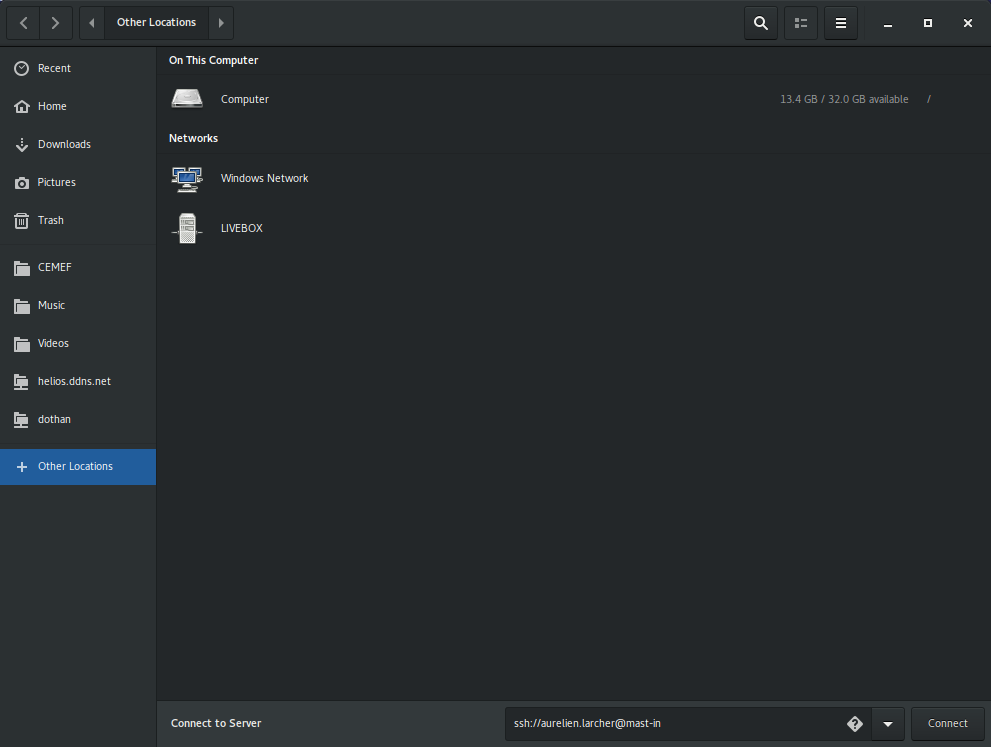
No need to enter the full hostname if the short alias is declared in .ssh/config.
Navigate to your home directory in /gcfl.
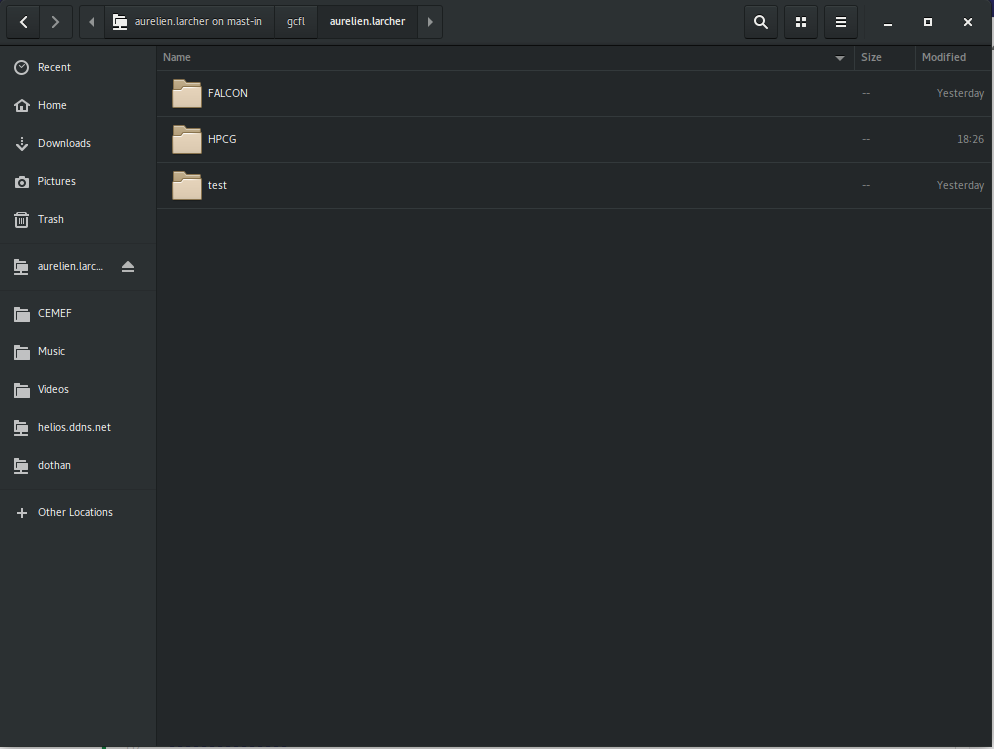
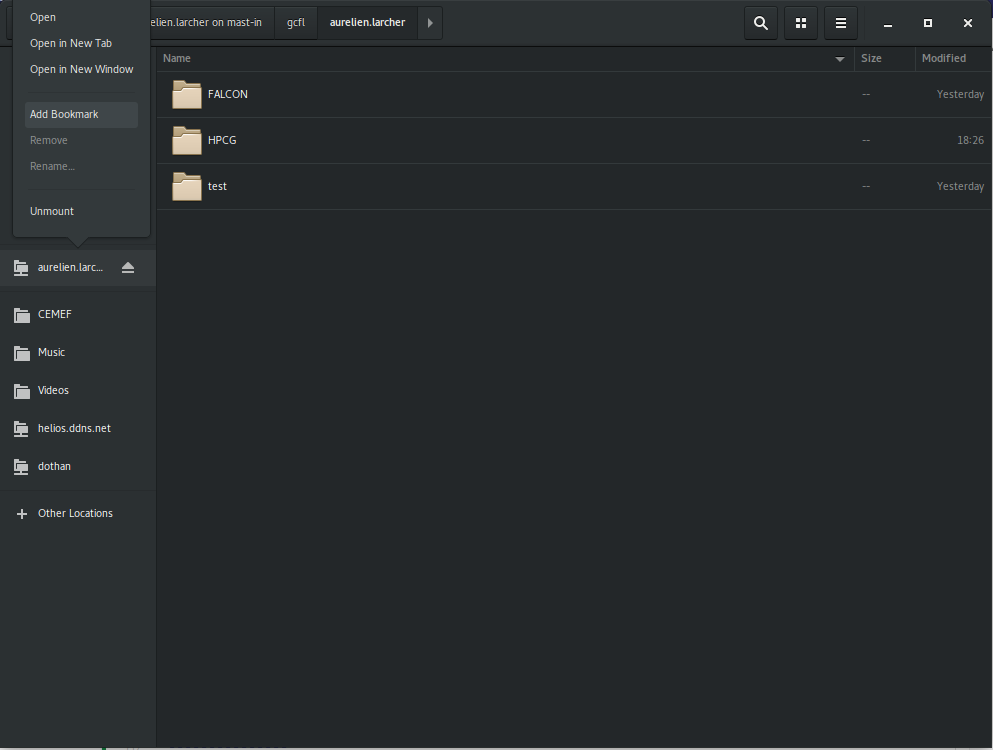
Optional: add a bookmark to access this location.
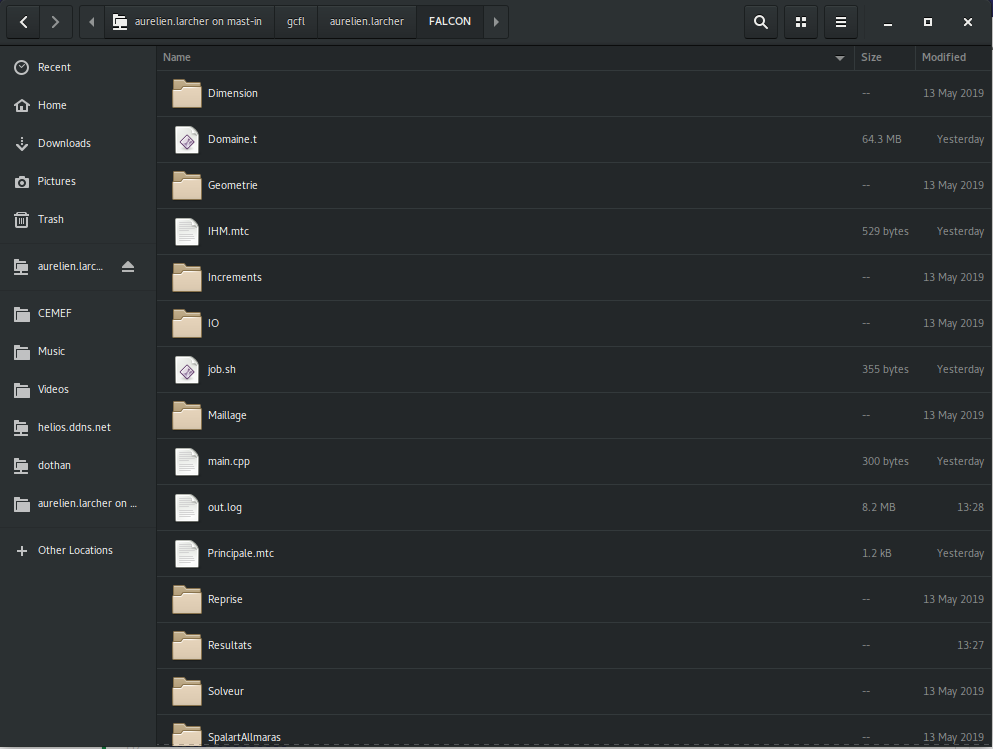
Use your files...
Windows
Use WinSCP.
Using software with modules
Environment-modules is a utility to manage software installation on supercomputers or any system with users requiring different flavours of software.
List available modules:
$ module avail
------------------------------------------------------------- /usr/share/modules/modulefiles -------------------------------------------------------------
dot  module-git  module-info  modules  null  use.own

-------------------------------------------------------------- /scratch/modules/modulefiles --------------------------------------------------------------
cimlibxx/master  hpcg/3.1  mtc/master
Here available modules are cimlibxx (master version), hpcg (3.1), and mtc (master version).
Load Cimlib-CFD:
$ module load cimlibxx
List loaded modules:
$ module list
Currently Loaded Modulefiles:
 1) mtc/master   2) cimlibxx/master
Verify that the Cimlib-CFD binary is in the path:
$ which cimlib_CFD_driver
/scratch/opt/cimlibxx/master/bin/cimlib_CFD_driver
$ cimlib_CFD_driver --version
cimlibxx dc4bf0f96 [master] (Jan 14 2020)
Resource allocation and job scheduling
On Mast-in only.
Resources are managed by the Slurm using allocations and job submissions.
Display queue
$ sinfo
PARTITION AVAIL  TIMELIMIT  NODES  STATE NODELIST
main         up 1-00:00:00     15   idle in-[1-6,8-16]
testing*     up    1:00:00     15   idle in-[1-6,8-16]
Resource allocation
To reserve one node:
$ salloc -N 1
salloc: Granted job allocation 39
mast-in>
A new shell is started to hold the allocation, it is released when the user exits the shell.
Getting the allocation may take time if the cluster is used by many users simultaneously.
On the partition testing the allocation is valid 1h while it is valid 24h on main.
To allocate on main use the -p option:
$ salloc -N 1 -p main
salloc: Granted job allocation 43
mast-in> squeue
             JOBID PARTITION     NAME     USER ST       TIME  NODES NODELIST(REASON)
                43      main     bash aurelien  R       0:03      1 in-1
To use the allocated node interactively:
mast-in> srun -N 1 --pty bash
in-1>
in-1> hostname
in-1
The user is now able to work on the allocated node (in-1 in this case).
Job submission
Sample file job.sh for submitting jobs:
#!/bin/bash
#
#SBATCH --job-name=hpcg
#SBATCH --output=out.log
#
#SBATCH --nodes 2
#SBATCH --ntasks 24
#SBATCH --ntasks-per-node=12
#SBATCH --ntasks-per-core=1
#SBATCH --threads-per-core=1
#SBATCH --partition=testing
#SBATCH --mail-type=ALL
#SBATCH --mail-user=aurelien.larcher@mines-paristech.fr
#SBATCH --time=01:00:00

# Load module
module load hpcg

# Set environment variable for OpenMP
export OMP_PROC_BIND=true

# Execute MPI run
mpirun xhpcg $HPCG_DATA_DIR/hpcg.dat
This file can be used to run the HPCG benchmark on 2 nodes using 12 MPI processes per node and only 1 thread per MPI process on the testing queue, the maximum run time is set to 1 hour.
The limits configured for a partition can be listed:
$ scontrol show partition testing
PartitionName=testing
   AllowGroups=ALL AllowAccounts=ALL AllowQos=ALL
   AllocNodes=ALL Default=YES QoS=N/A
   DefaultTime=NONE DisableRootJobs=YES ExclusiveUser=NO GraceTime=0 Hidden=NO
   MaxNodes=2 MaxTime=01:00:00 MinNodes=1 LLN=NO MaxCPUsPerNode=UNLIMITED
   Nodes=in-[1-6,8-16]
   PriorityJobFactor=1 PriorityTier=1 RootOnly=NO ReqResv=NO OverSubscribe=NO
   OverTimeLimit=NONE PreemptMode=OFF
   State=UP TotalCPUs=180 TotalNodes=15 SelectTypeParameters=NONE
   DefMemPerNode=UNLIMITED MaxMemPerNode=UNLIMITED
Make sure you have the right to run on the queue indicated by the --partition option, you can run on it only if you have required credentials.
Submit the job using the file:
$ sbatch job.sh
Submitted batch job 41
$ squeue
             JOBID PARTITION     NAME     USER ST       TIME  NODES NODELIST(REASON)
                39   testing     bash aurelien  R      34:29      1 in-1
                41   testing     hpcg aurelien  R       0:04      2 in-[2-3]