How to contribute
This documentation is written using the Markdown syntax which is used in many wiki systems.
Before starting to contribute have a look at the Markdown Guide and the MkDocs Guide.
Quick start
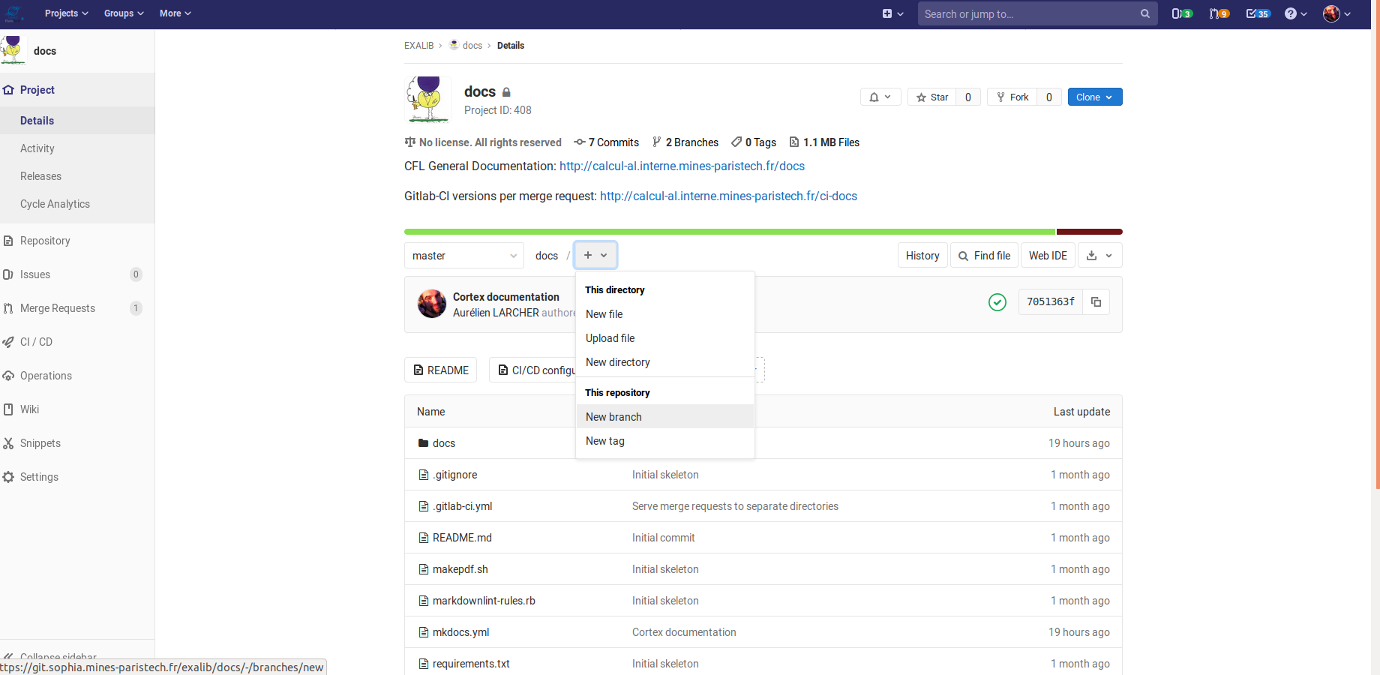 Create a new branch on the GitLab interface.
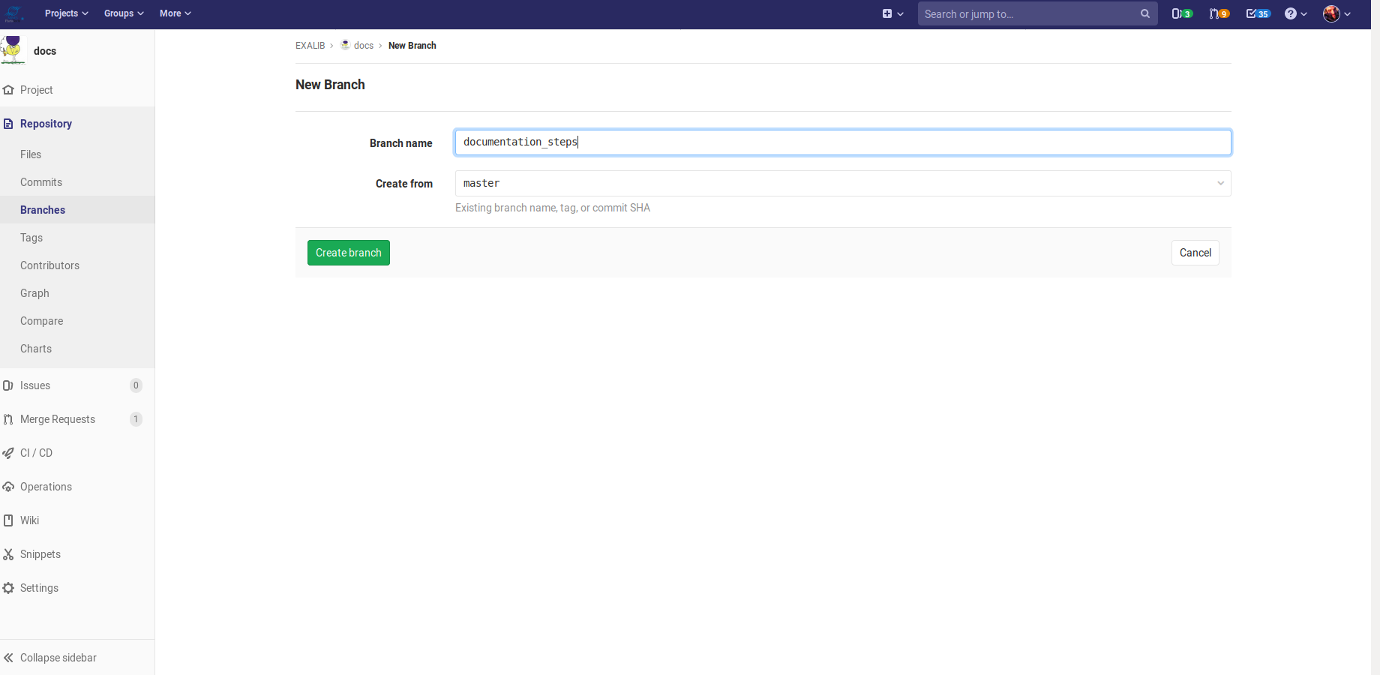 Name the branch accordingly and validate.
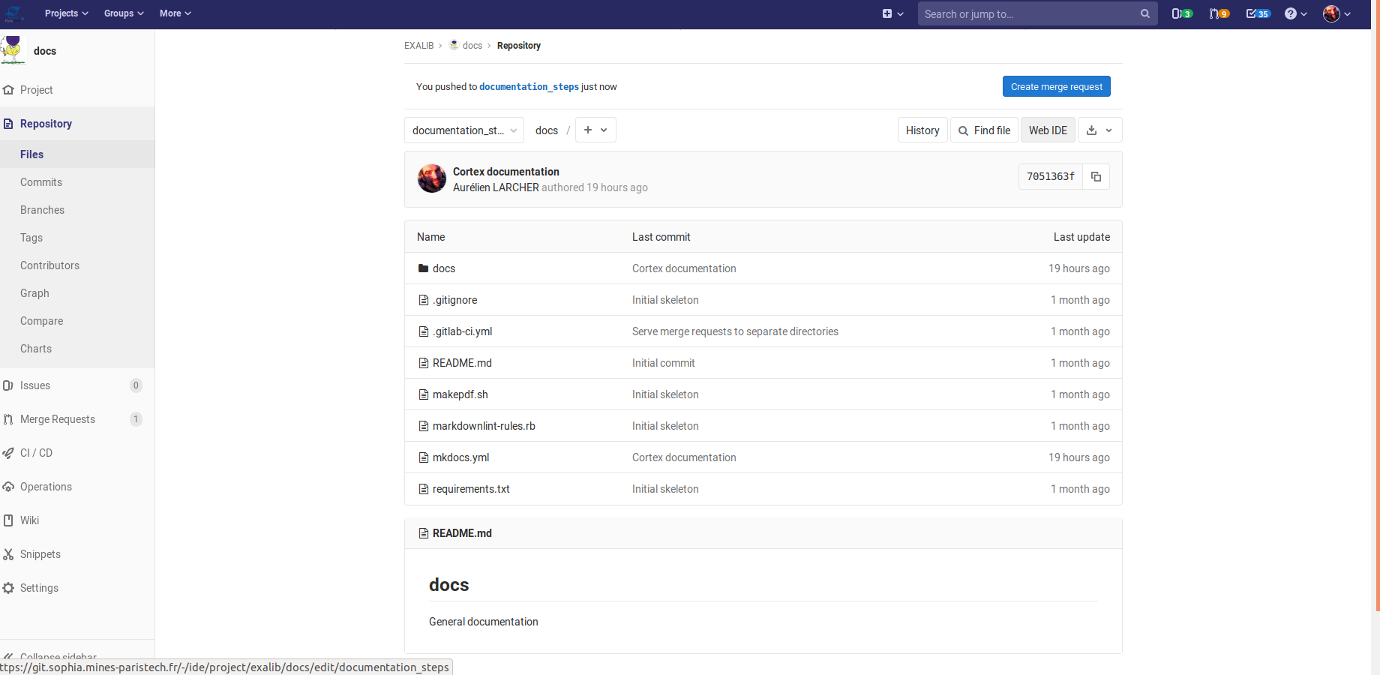 Click on Web IDE button at the top right to open the online file editor.
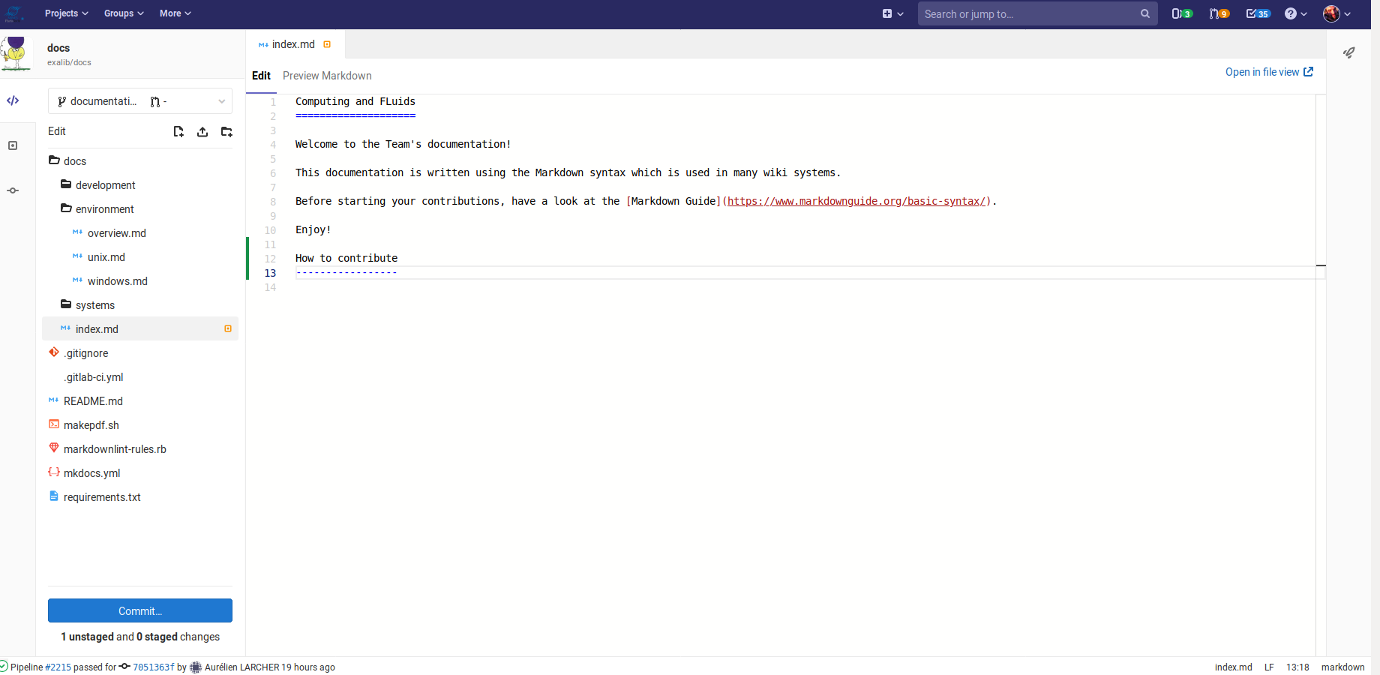 Edit your files in the editor, add directories or upload files using the explorer bar on the left.
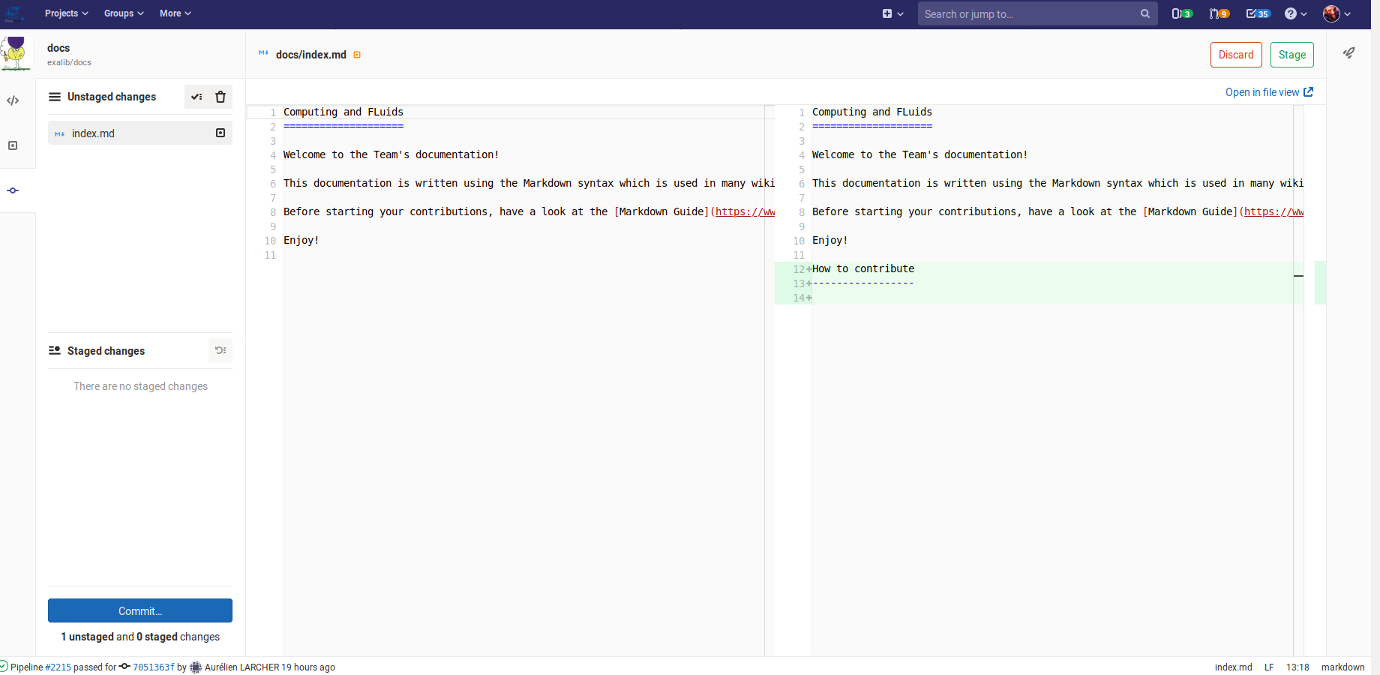 Write the documentation in the Markdown language and commit at any point using the bottom left button.
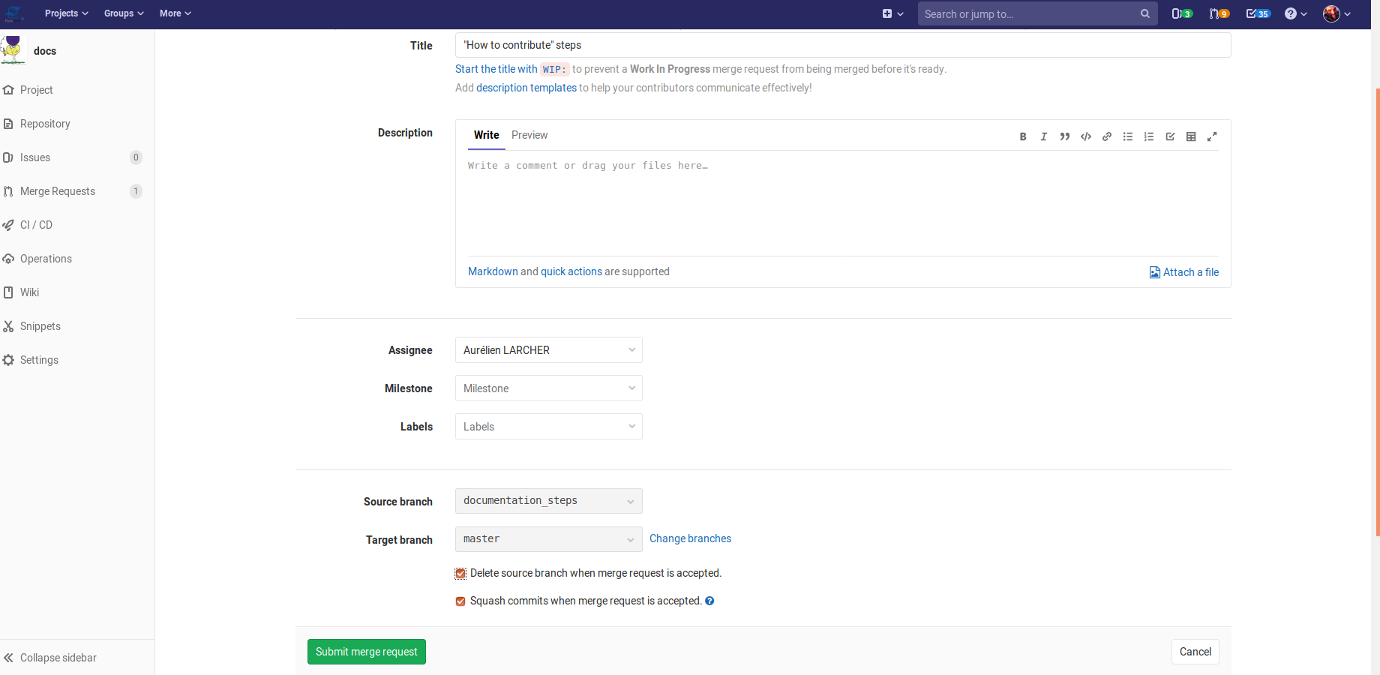 At the first commit, open a merge request to track your changes.
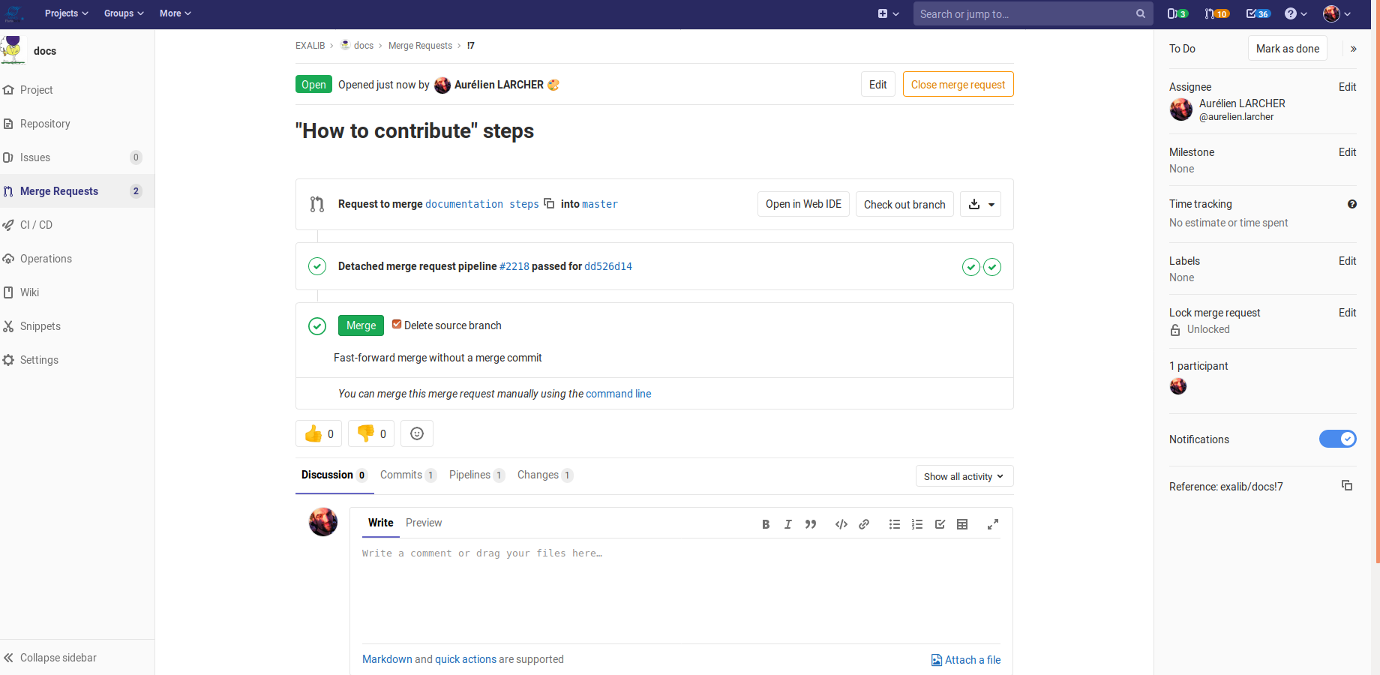 Add any relevant information to the merge request.
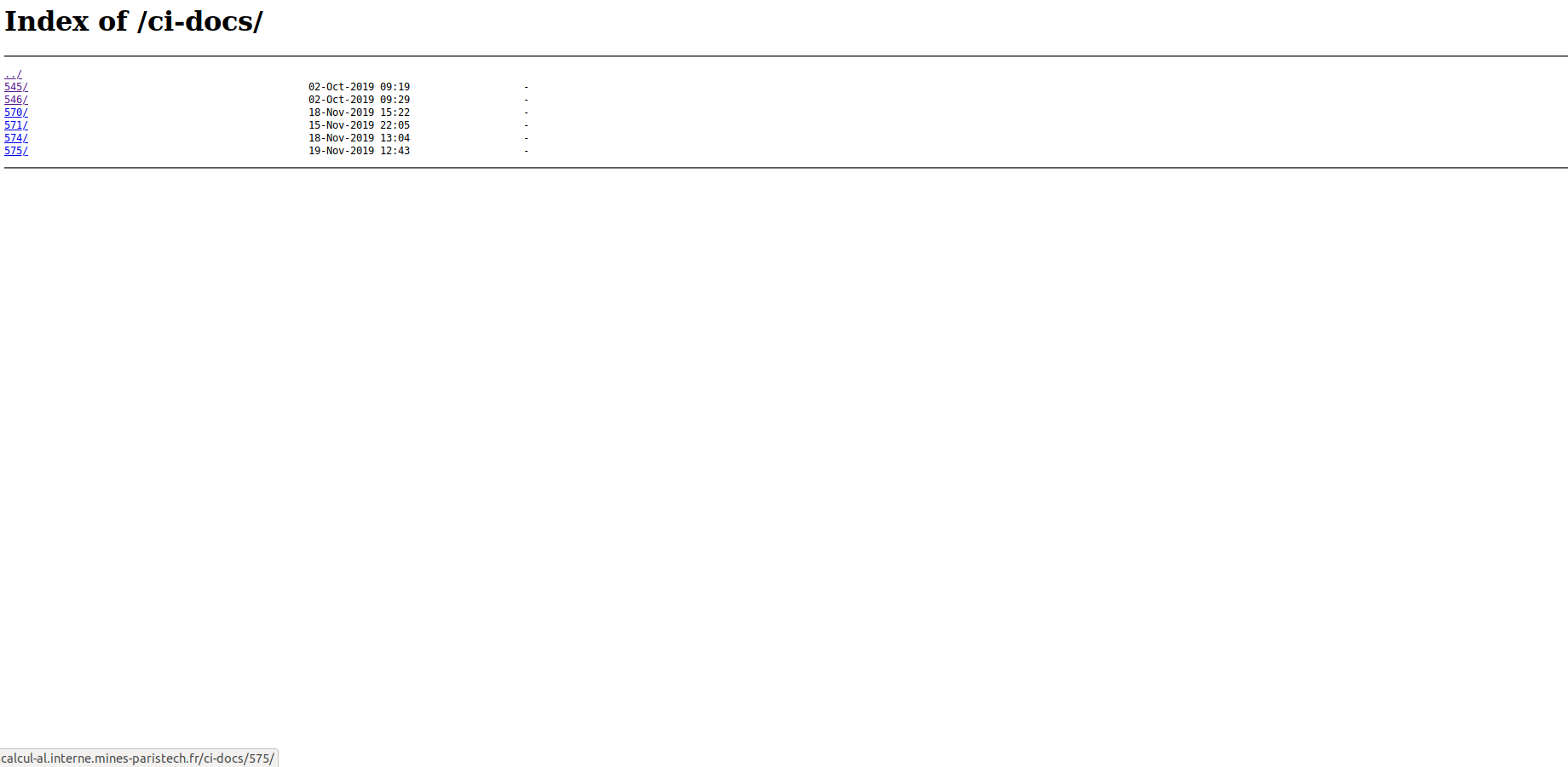 At creation or modification the merge request is deployed in the dedicated folder for review.
 Check the result, then merge the contribution to the master branch when satisfactory.
The documentation is then deployed to the main site.